Set up your Solana wallet safely for LP
Set up a Solana wallet for LP safely: protect your seed phrase, use a separate LP wallet, keep SOL for fees and rent, and connect to MeteMate.
- Your seed phrase is the wallet. Anyone who has it owns your funds.
- Use a separate "LP wallet" with only the money you plan to LP.
- Keep about 0.1 SOL spare for network fees and refundable rent.
- MeteMate never asks for your seed phrase and never holds your keys — you approve everything in your wallet.
Before you touch a pool, get your wallet right. Almost every horror story in DeFi starts with a leaked seed phrase or a signature someone did not read. Ten minutes here saves a lot of pain later.
Step 1 — Install a wallet
Pick a well-known Solana wallet: Phantom, Solflare, Backpack or Jupiter Wallet. Install it only from your browser's official extension store or your phone's app store. Fake wallet apps exist and look identical.
Step 2 — Write down your seed phrase, on paper
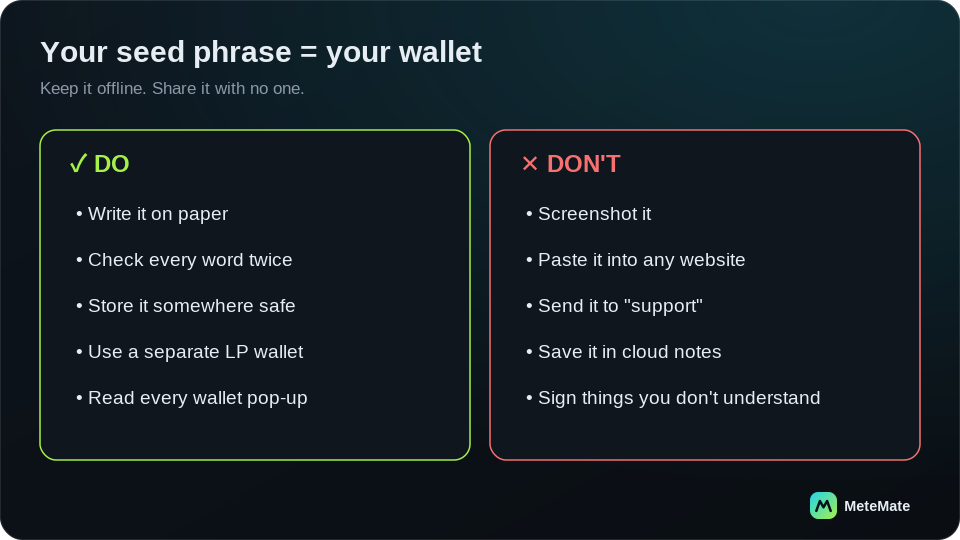
The wallet shows 12 or 24 words. Those words are your wallet. Write them on paper, check them twice and store the paper somewhere safe. Do not screenshot them, do not paste them into notes apps, and never type them into a website.
Step 3 — Make a separate LP wallet
Most wallets let you add a second account with one click. Use one account to store long-term holdings and another one just for LPing. If you ever sign something bad while chasing a new pool, the damage stays small.
Step 4 — Fund it with SOL
Send SOL from an exchange or your main account. Keep a buffer on top of what you want to deposit:
- Network fees — tiny, but they add up when you open, claim and close often.
- Position rent — each DLMM position locks roughly 0.06 SOL as account rent. You get it back when you close the position.
- New price areas — if your range reaches prices no one has used before, the pool may need new "bin arrays", which cost a little extra SOL that is not refunded.
Step 5 — Connect to MeteMate
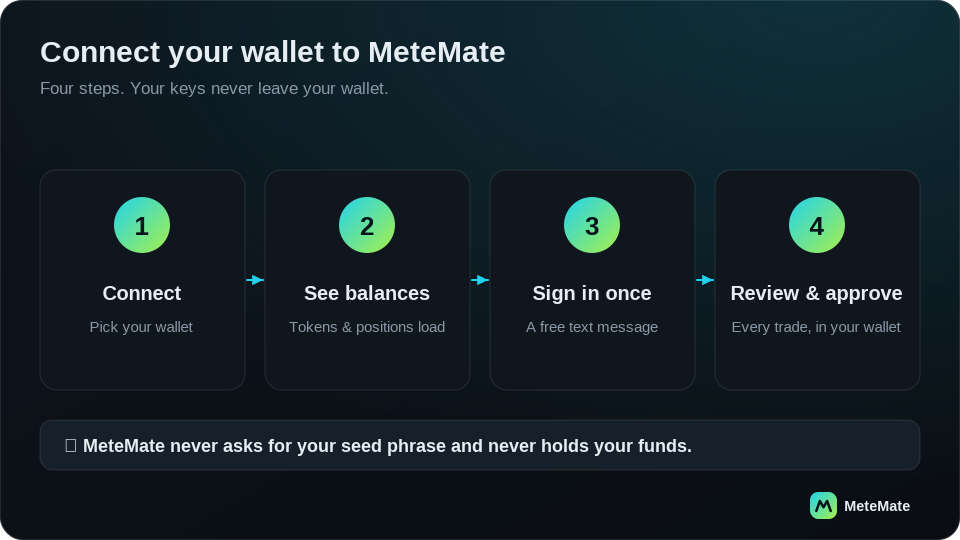
- Press Connect Wallet in the top bar and choose your wallet.
- Your balance and positions appear straight away. Connecting only shares your public address.
- Before your first transaction you sign a short text message to sign in. It is free and is not a transaction.
- Every trade is shown in a review screen first, and nothing is sent until you approve it in your wallet.
Read what you sign
When your wallet pops up, look at it. A normal add-liquidity transaction moves the tokens you typed in and a small fee. If a site asks you to approve something you did not expect — moving all your tokens, or a "set authority" instruction — reject it.
✅ Quick check
1. Where should you store your seed phrase?
2. Someone in your DMs says they are support and needs your seed phrase to fix a bug. What do you do?
3. Why keep SOL spare beyond your deposit?
Questions people ask
Does MeteMate hold my funds?
No. MeteMate never sees your seed phrase or private keys. Every transaction is built for you to review and is signed inside your own wallet.
How much SOL should I keep for fees when LPing?
Keep around 0.1 SOL spare. Each DLMM position locks about 0.06 SOL of refundable rent, and network fees are small but frequent.
Is signing in with my wallet a transaction?
No. Signing in signs a short text message to prove you own the address. Nothing is sent to the blockchain and it costs nothing.